Gatus
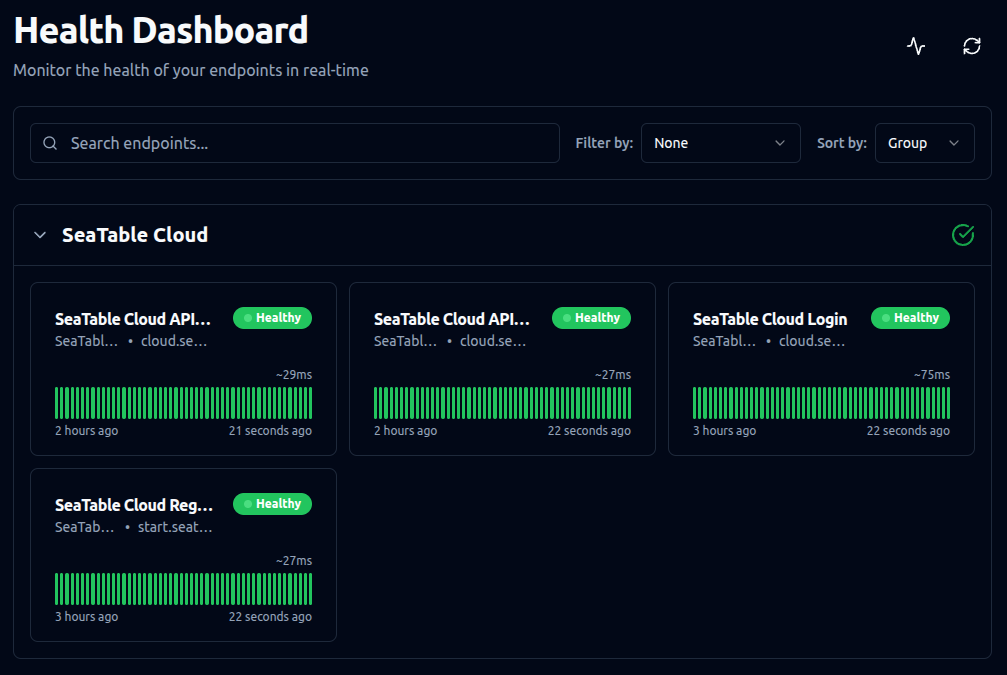
Gatus provides your users with a real-time status page for your SeaTable Server and alerts you if any core components become unreachable. By default Gatus monitors the following components:
- SeaTable Login Page
- SeaTable API Gateway
- MariaDB
- Redis
- Certificate Expiration
- Python Pipeline
Installation
This guide explains how to install Gatus on your SeaTable server.
Change the .env file
As with other additional components, first add gatus.yml to the COMPOSE_FILE variable in your .env file.
Copy and paste () the following command into your terminal:
sed -i "s/COMPOSE_FILE='\(.*\)'/COMPOSE_FILE='\1,gatus.yml'/" /opt/seatable-compose/.env
Start Gatus
To start Gatus for the first time, run:
cd /opt/seatable-compose && \
docker compose up -d
Verify the setup
Open https://<your-seatable-server-hostname>/status or https://<your-seatable-server-hostname>:6220 in your browser to check if your new status page is accessible. This page will monitor your main components in real time. To reach this page, you must open/expose the port 6220 in your firewall.
E-Mail notifications
Email notifications are preconfigured. You only need to provide the following environment variables in your .env file:
GATUS_EMAIL_USERNAME=
GATUS_EMAIL_PASSWORD=
GATUS_EMAIL_HOST=
GATUS_EMAIL_PORT=
GATUS_EMAIL_FROM=
GATUS_EMAIL_TO=
Each variable is self-explanatory.
Additional Notifications and Advanced Configuration
Gatus uses two configuration files: /opt/seatable-compose/gatus.yml and /opt/seatable-compose/config/gatus-config.yml.
To ensure your changes persist after updates, create copies of these files (e.g., custom-....yml) and update the references accordingly.
For all available configuration options, see the Gatus GitHub repository.